
Why Choose a DIY Drone Camera Gimbal for Aerial Imaging?
Why Choose a DIY Drone Camera Gimbal for Aerial Imaging?
A Drone Camera Gimbal Diy project can transform ordinary aerial footage into smoother, more purposeful imagery. It gives builders direct control over camera balance, vibration isolation, and movement limits. You can adjust each part.
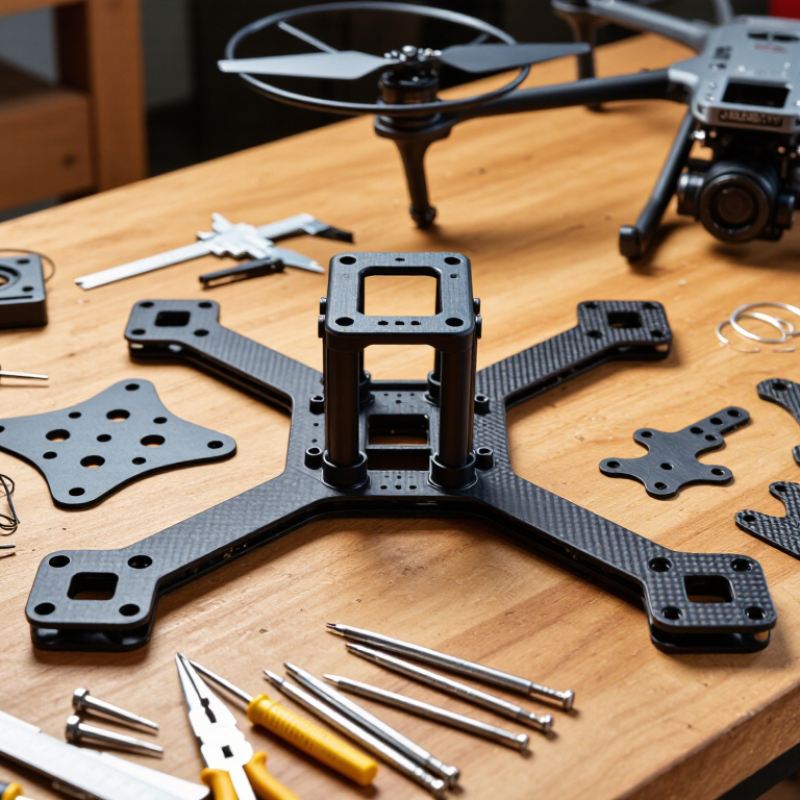
Instead of accepting a fixed commercial design, you can match the gimbal to your aircraft, lens, and shooting style. A lightweight frame may use carbon-fiber plates, small brushless motors, and silicone dampers. A heavier camera needs stronger brackets and more precise tuning. Small errors matter. An unbalanced camera can make motors heat quickly and produce shaky horizons.
DIY aerial robotics educator David Windestål offers a useful principle: “A stable platform comes before clever features.” That idea applies directly to homemade gimbals. Build stability first, then add remote control, follow modes, or automated leveling. His practical approach reflects years of testing flight hardware, not just assembling parts from a diagram.
The learning process also exposes weaknesses. My first design might look neat but still vibrate during sharp turns. That failure is valuable. It encourages better measurements, cleaner wiring, and careful bench testing before flight. Safety remains essential, especially around rotating propellers and expensive cameras.
A well-planned Drone Camera Gimbal Diy setup can improve image quality while teaching mechanical design, electronics, and flight behavior. It may not outperform a professional unit immediately. However, it can become more suitable for a specific aircraft and creative goal. The best results come from patient calibration, realistic expectations, and a willingness to rebuild imperfect parts.
What a DIY Drone Camera Gimbal Is and How It Works
Why Choose a DIY Drone Camera Gimbal for Aerial Imaging?
A DIY drone camera gimbal is a small mechanical platform that keeps a camera steady during flight. It usually uses brushless motors, an inertial measurement unit, and a flight controller. The IMU detects pitch, roll, and yaw changes, then sends correction signals to the motors. This process happens many times each second. The camera stays aimed, even when the aircraft tilts in wind.
The design is practical because each part can be adjusted or replaced. A builder may set motor strength, damping, camera angle, and vibration isolation for a specific payload. My first frame looked stable on a workbench, but aerial footage showed small waves and sudden horizon shifts. The problem was not the camera. It was an unbalanced arm and weak filtering. Small mistakes matter.
The FAA’s 2024 Aerospace Forecast reported more than 800,000 registered civil drones in the United States. That growing fleet increases demand for reliable imaging equipment. A 2024 MarketsandMarkets report also forecasts double-digit growth for the drone camera market through 2029. These figures support careful experimentation, not careless assembly. A gimbal should be tested with low-altitude, controlled flights and recorded vibration data. It may remain imperfect. That is useful. Each flight can reveal resonance, motor delay, or excessive weight. A simple design often teaches more than a sealed system.
Why Choose a DIY Drone Camera Gimbal for Aerial Imaging? - What a DIY Drone Camera Gimbal Is and How It Works
| Data Dimension | Typical DIY Gimbal Specification | How It Works | Aerial Imaging Benefit |
|---|---|---|---|
| Primary Purpose | Stabilize a lightweight camera during flight | The mount counteracts aircraft movement so the camera remains aimed at the target | Produces smoother photographs and video than a rigid camera mount |
| Stabilization Axes | Usually 1–3 axes: pitch, roll, and optional yaw | Each axis uses a motor and control loop to correct rotational movement | Three-axis designs provide better control for changing flight directions and wind conditions |
| Sensing Method | Gyroscope and accelerometer; optional magnetometer | An inertial measurement unit detects angular movement and acceleration | Allows rapid correction before motion becomes visible in the footage |
| Control System | Microcontroller with proportional–integral–derivative control | The controller compares the desired angle with the measured angle and adjusts motor output | Improves holding accuracy while reducing overshoot and unwanted vibration |
| Camera Payload | Common DIY range: approximately 100–500 g | Motor torque must be sufficient to move and hold the camera and mounting hardware | Supports compact action cameras, small digital cameras, or sensors when correctly balanced |
| Mechanical Frame | Aluminum, carbon-fiber plate, 3D-printed polymer, or a mixed structure | The frame supports the camera and isolates it from the drone body | A custom frame can be adapted to the camera shape and available mounting points |
| Motor Type | Small brushless or geared servo motors | Motors apply controlled torque to rotate the camera around each stabilized axis | Enables fast, repeatable corrections without requiring manual adjustment in flight |
| Operating Voltage | Common electronics range: 5–12 V, depending on the motor and controller | A regulated power circuit supplies the voltage required by the controller and motors | Compatible power design helps prevent resets, overheating, and unstable movement |
| Camera Tilt Range | Often about −90° to +30° on the pitch axis | The pitch motor changes the viewing angle from downward-looking to forward-looking positions | Supports ground inspection, landscape imaging, and forward-flight recording |
| Response Speed | Designed for corrections within milliseconds to tens of milliseconds | The sensor-controller-motor loop repeatedly updates the camera position during flight | Faster response reduces blur caused by small, sudden aircraft movements |
| Vibration Isolation | Silicone dampers, rubber balls, foam, or flexible mounts | Soft materials reduce high-frequency vibration transferred from motors and propellers | Helps minimize rolling-shutter artifacts, micro-jitters, and visible image shake |
| Balancing Requirement | Camera center of gravity should be close to each rotation axis | A balanced payload reduces the continuous torque required from the motors | Improves efficiency, reduces motor heat, and increases stabilization accuracy |
| Typical Added Mass | Approximately 80–250 g for a compact DIY assembly | The added mass includes the frame, motors, controller, dampers, and wiring | Lower mass generally preserves flight time and leaves more payload capacity |
| Power Consumption | Varies with payload, motor size, correction frequency, and supply voltage | Motors draw more current when correcting large angles or holding an unbalanced camera | Efficient construction can extend flight time compared with an oversized mount |
| Remote Control Function | Optional pitch command through a radio receiver or flight controller | Pilot input changes the target angle while stabilization remains active | Allows the operator to frame subjects without physically moving the drone |
| Main DIY Advantages | Custom fit, repairability, adjustable settings, and component-level control | The builder can select the frame, sensors, motors, firmware, and mounting geometry | Useful for prototypes, educational projects, specialized cameras, and experimental payloads |
| Key Design Trade-Off | Higher stability may increase mass, cost, power use, and tuning effort | Performance depends on mechanical stiffness, balancing, sensor quality, and controller tuning | A properly tuned lightweight system offers a practical balance between image quality and flight endurance |
Note: The specifications above are representative engineering ranges for lightweight DIY aerial-imaging projects. Actual results depend on the selected camera, motors, power system, frame geometry, payload balance, and flight conditions.